Setting the file. One moment.
Verify error tracking
Recommended
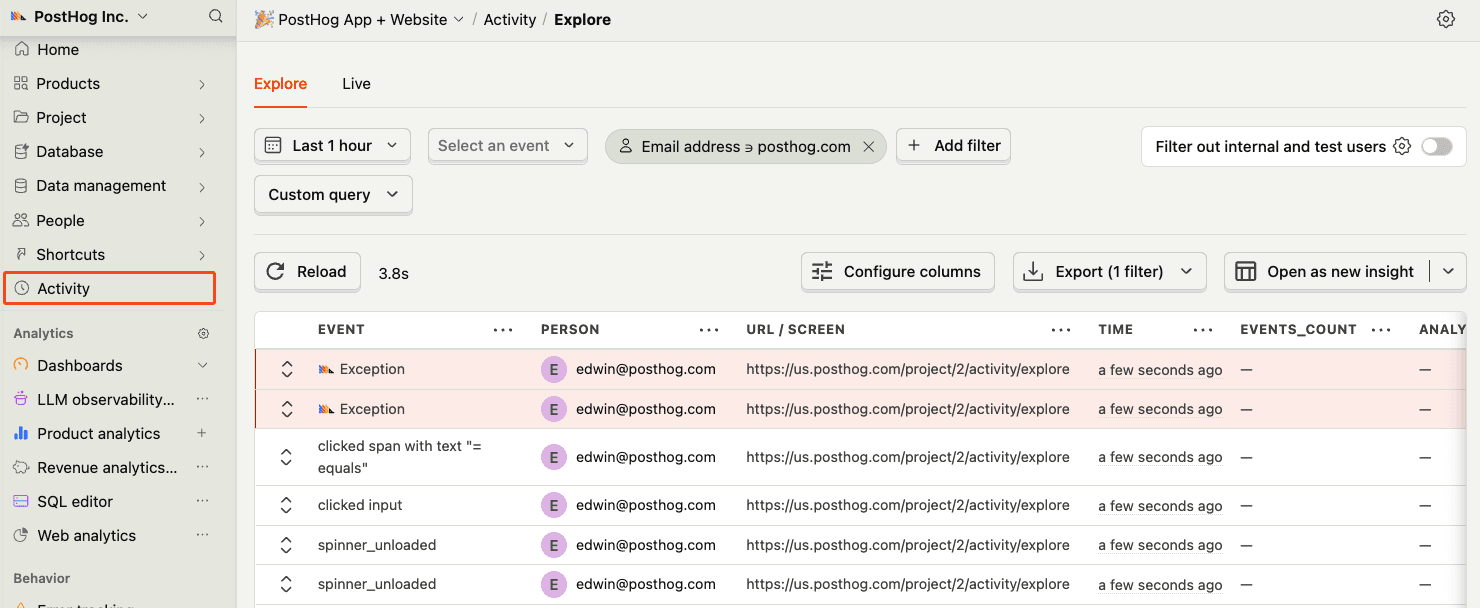
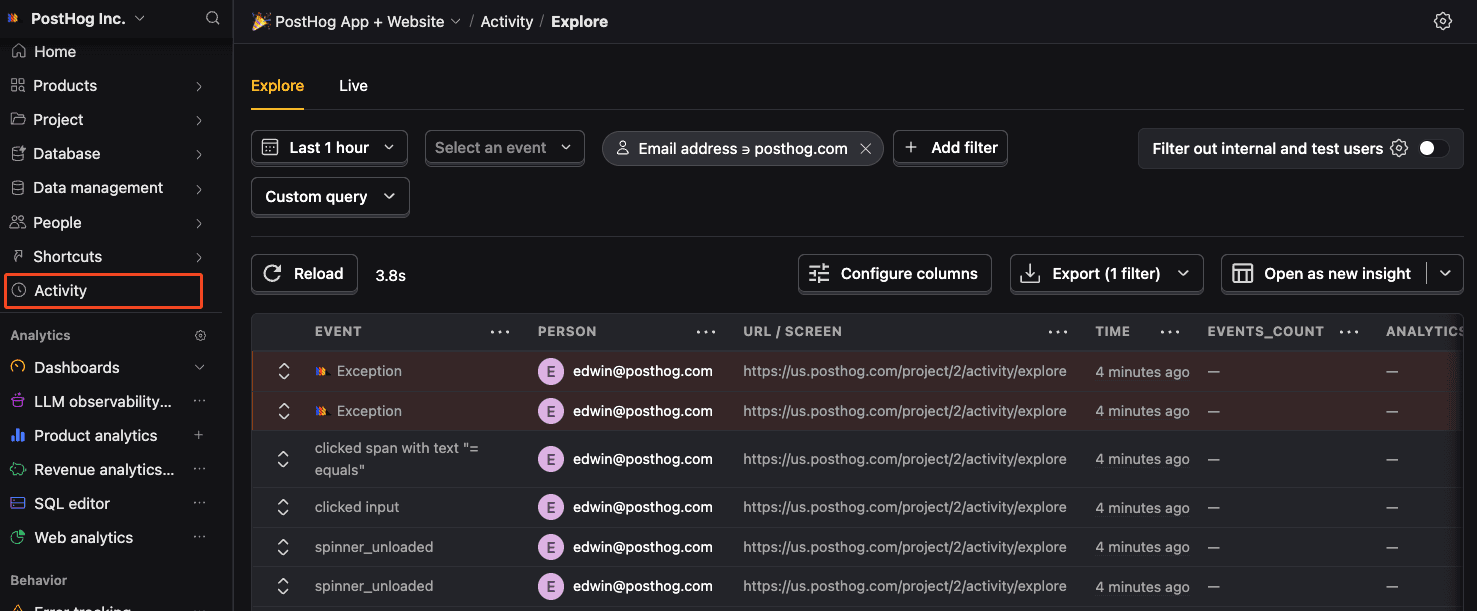
Confirm events are being sent to PostHog
Before proceeding, let’s make sure exception events are being captured and sent to PostHog. You should see events appear in the activity feed.
Chapter 157 · Omnibus Instrument Error Tracking
Subchapter 157.2
references/android.mdMarkdown4 KBView on GitHub
Required
Add the PostHog Android SDK to your build.gradle dependencies:
build.gradle
PostHog AI
dependencies {
    implementation("com.posthog:posthog-android:3.+")
}
2
Required
Initialize PostHog in your Application class:
SampleApp.kt
PostHog AI
class SampleApp : Application() {
    companion object {
        const val POSTHOG_PROJECT_TOKEN = "<ph_project_token>"
        const val POSTHOG_HOST = "https://us.i.posthog.com"
    }
    override fun onCreate() {
        super.onCreate()
        // Create a PostHog Config with the given project token and host
        val config = PostHogAndroidConfig(
            apiKey = POSTHOG_PROJECT_TOKEN,
            host = POSTHOG_HOST
        )
        // Setup PostHog with the given Context and Config
        PostHogAndroid.setup(this, config)
    }
}
3
Recommended
Once installed, PostHog will automatically start capturing events. You can also manually send events to test your integration:
Kotlin
PostHog AI
import com.posthog.PostHog
PostHog.capture(
    event = "button_clicked",
    properties = mapOf(
        "button_name" to "signup"
    )
)
4
Recommended
Client-side configuration only
Support for remote configuration in the error tracking settings (opens in a new tab) requires SDK version 3.32.0 or higher.
You can autocapture exceptions by setting the errorTrackingConfig.autoCapture argument to true when initializing the PostHog SDK.
Kotlin
PostHog AI
import com.posthog.android.PostHogAndroidConfig
val config = PostHogAndroidConfig(
    apiKey = POSTHOG_PROJECT_TOKEN,
    host = POSTHOG_HOST
).apply {
    ...
    errorTrackingConfig.autoCapture = true
}
...
When enabled, this automatically captures $exception events when errors are thrown by wrapping the Thread.UncaughtExceptionHandler listener.
Planned features
We currently don’t support source code context (opens in a new tab) associated with an exception.
These features will be added in a future release.
5
Optional
It is also possible to manually capture exceptions using the captureException method:
Kotlin
PostHog AI
PostHog.captureException(
    exception,
    properties = additionalProperties
)
This is helpful if you’ve built your own error handling logic or want to capture exceptions that are handled by your application code.
Recommended
Confirm events are being sent to PostHog
Before proceeding, let’s make sure exception events are being captured and sent to PostHog. You should see events appear in the activity feed.
6
Required
Great, you’re capturing exceptions! If you serve minified bundles, the next step is to upload source maps to generate accurate stack traces.
Let’s continue to the next section.
Ask a question
HelpfulCould be better