Setting the file. One moment.
-
1
Install the package
Required
Install the PostHog Node.js library using your package manager:
npm
npm install posthog-nodeyarn
yarn add posthog-nodepnpm
pnpm add posthog-nodebun
bun add posthog-node -
2
Initialize PostHog
Required
Initialize the PostHog client with your project token:
Node.js
import { PostHog } from 'posthog-node' const client = new PostHog( '<ph_project_token>', { host: 'https://us.i.posthog.com' } ) -
3
Send an event
Recommended
Once installed, you can manually send events to test your integration:
Node.js
client.capture({ distinctId: 'distinct_id_of_the_user', event: 'event_name', properties: { property1: 'value', property2: 'value', }, }) -
4
Configure exception autocapture
Recommended
You can enable exception autocapture when initializing the PostHog client to automatically capture uncaught exceptions and unhandled rejections in your Node app.
Node.js
import { PostHog } from 'posthog-node'
const client = new PostHog(
    '<ph_project_token>',
    { host: 'https://us.i.posthog.com', enableExceptionAutocapture: true }
)
If you are using the Express framework, you will need to import and call with your PostHog client and Express app. This is because Express handles uncaught exceptions internally meaning exception autocapture will not work by default.
-
5
Manually capture exceptions
Optional
If you need to manually capture exceptions, you can do so by calling the
captureExceptionmethod:Node.js
posthog.captureException(e, 'user_distinct_id', additionalProperties)This is helpful if you’ve built your own error handling logic or want to capture exceptions normally handled by the framework.
-
Verify error tracking
Recommended
Confirm events are being sent to PostHog
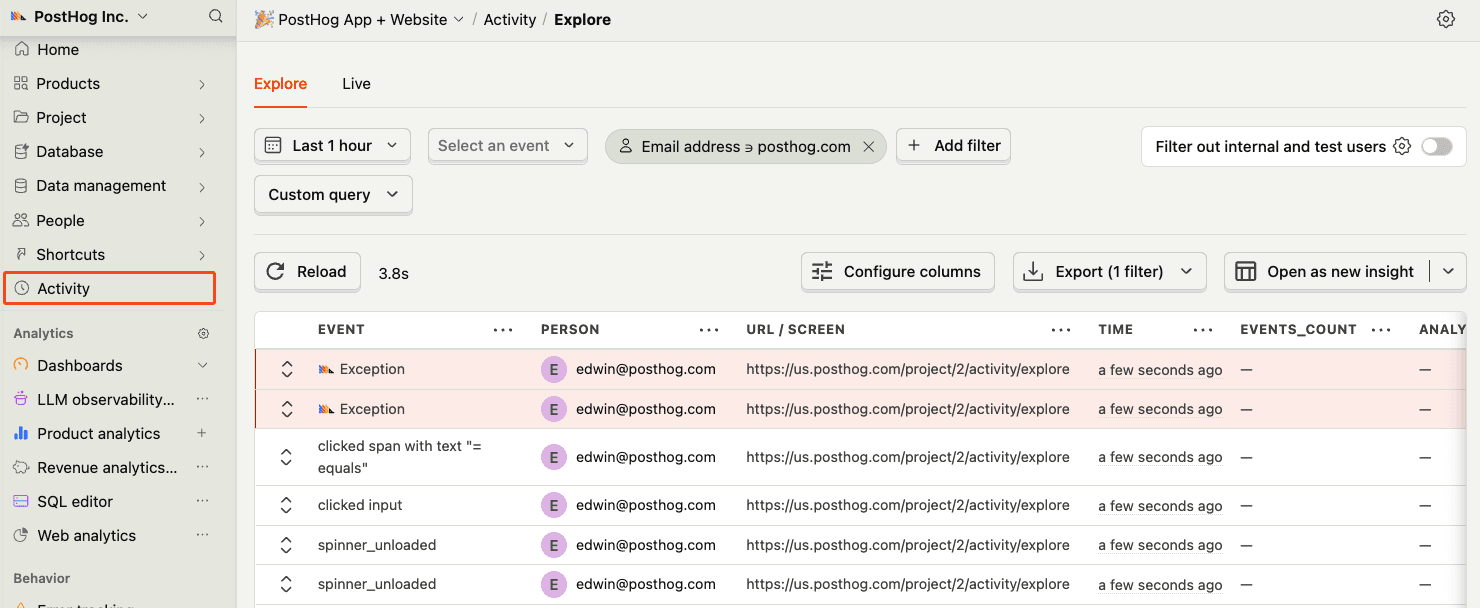
Before proceeding, let’s make sure exception events are being captured and sent to PostHog. You should see events appear in the activity feed.
-
6
Upload source maps
Required
Great, you’re capturing exceptions! If you serve minified bundles, the next step is to upload source maps to generate accurate stack traces.
Let’s continue to the next section.