Setting the file. One moment.
-
1
Install the package
Required
Install the PostHog JavaScript library using your package manager:
npm
npm install posthog-jsyarn
yarn add posthog-jspnpm
pnpm add posthog-jsbun
bun add posthog-jsNuxt version
This guide is for Nuxt v3.0 and above. For Nuxt v2.16 and below, see our Nuxt docs (opens in a new tab).
-
2
Add environment variables
Required
Add your PostHog project token and host to your
nuxt.config.jsfile:nuxt.config.js
export default defineNuxtConfig({ runtimeConfig: { public: { posthogPublicKey: '<ph_project_token>', posthogHost: 'https://us.i.posthog.com', posthogDefaults: '2026-05-30' } } }) -
3
Create a plugin
Required
Create a new plugin by creating a new file
posthog.client.jsin your plugins directory:plugins/posthog.client.js
import { defineNuxtPlugin } from '#app' import posthog from 'posthog-js' export default defineNuxtPlugin(nuxtApp => { const -
4
Server-side setup
Optional
To capture events from server routes, install
posthog-nodeand instantiate it directly. You can also use it to evaluate feature flags on the server:npm
npm install posthog-nodeyarn
-
5
Send events
Click around and view a couple pages to generate some events. PostHog automatically captures pageviews, clicks, and other interactions for you.
If you’d like, you can also manually capture custom events:
JavaScript
posthog.capture('my_custom_event', { property: 'value' }) -
6
Manually capturing exceptions
Optional
To send errors directly using the PostHog client, import it and use the
captureExceptionmethod like this:Vue
<script> const { $posthog } = useNuxtApp() if ($posthog) { const posthog = $posthog() posthog.captureException( -
7
Configuring exception autocapture
Recommended
Update your
posthog.client.jsto add an error hook.JavaScript
export default defineNuxtPlugin((nuxtApp) => { ... nuxtApp.hook('vue:error', (error) => { posthogClient.captureException(error) }) -
Verify error tracking
Recommended
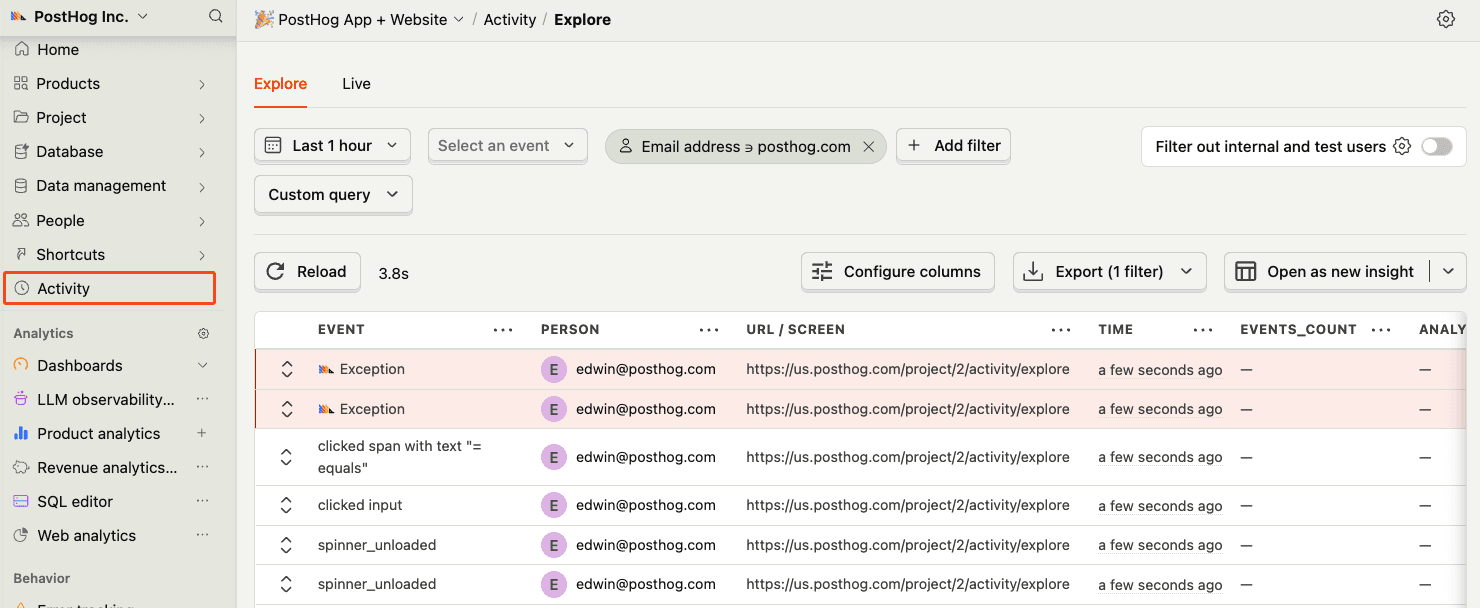
Confirm events are being sent to PostHog
Before proceeding, let’s make sure exception events are being captured and sent to PostHog. You should see events appear in the activity feed.
-
8
Upload source maps
Required
Great, you’re capturing exceptions! If you serve minified bundles, the next step is to upload source maps to generate accurate stack traces.
Let’s continue to the next section.