Setting the file. One moment.
-
1
Install the package
Required
Add the PostHog Flutter SDK to your
pubspec.yaml:pubspec.yaml
posthog_flutter: ^5.24.0 -
2
Platform setup
Required
Tab
Add these values to your
AndroidManifest.xml:android/app/src/main/AndroidManifest.xml
<application>
  <activity>
    [...]
  </activity>
  <meta-data android:name="com.posthog.posthog.PROJECT_TOKEN" android:value="<ph_project_token>" />
  <meta-data android:name="com.posthog.posthog.POSTHOG_HOST" android:value="https://us.i.posthog.com" />
  <meta-data android:name
Update the minimum Android SDK version to 21 in
android/app/build.gradle:android/app/build.gradle
defaultConfig {
  minSdkVersion 23
  // rest of your config
}
Tab
Add these values to your
Info.plist:ios/Runner/Info.plist
<dict>
  [...]
  <key>com.posthog.posthog.PROJECT_TOKEN</key>
  <string><ph_project_token></string>
  <key>com.posthog.posthog.POSTHOG_HOST</key>
  <string>https://us.i.posthog.com</string>
  <key>com.posthog.posthog.CAPTURE_APPLICATION_LIFECYCLE_EVENTS</key>
  <true
Update the minimum platform version to iOS 13.0 in your
Podfile:Podfile
platform :ios, '13.0'
# rest of your config
Tab
Add these values in
index.html:web/index.html
<!DOCTYPE html> <html> <head> ... <script> !function -
3
Send events
Recommended
Once installed, PostHog will automatically start capturing events. You can also manually send events to test your integration:
Dart
import 'package:posthog_flutter/posthog_flutter.dart'; await Posthog().capture( eventName: 'button_clicked', properties: { 'button_name': 'signup' } -
4
Set up exception autocapture
Recommended
Client-side configuration only
This configuration is client-side only. Support for remote configuration in the error tracking settings (opens in a new tab) will be added in a future release.
You can autocapture exceptions by configuring the
errorTrackingConfigwhen setting up PostHog:Dart
final config = PostHogConfig('<ph_project_token>'); -
5
Manually capture exceptions
Optional
Basic usage
You can manually capture exceptions using the
captureExceptionmethod:Dart
try { // Your awesome code that may throw await someRiskyOperation(); -
6
Future features
Optional
We currently don’t support the following features:
- No de-obfuscating stacktraces from obfuscated builds (--obfuscate (opens in a new tab) and --split-debug-info (opens in a new tab)) for Dart code
- No Source code context (opens in a new tab) associated with an exception (native Android Java/Kotlin errors and Flutter web only)
- No native C/C++ exception capture on Android (Java/Kotlin only)
- No background isolate error capture
-
Verify error tracking
Recommended
Confirm events are being sent to PostHog
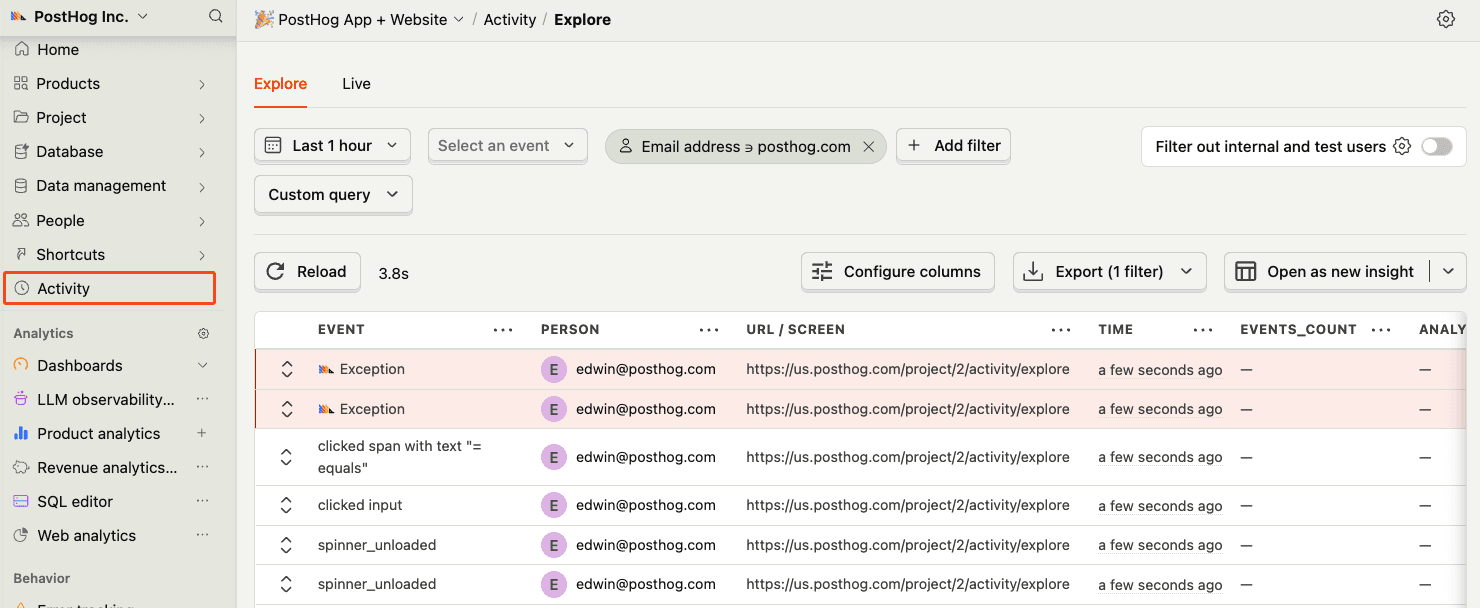
Before proceeding, let’s make sure exception events are being captured and sent to PostHog. You should see events appear in the activity feed.
-
7
Upload source maps
Required
Great, you’re capturing exceptions! If you serve minified bundles, the next step is to upload source maps to generate accurate stack traces.
Let’s continue to the next section.