Setting the file. One moment.
-
1
Install the package
Required
Install the PostHog React Native library and its dependencies:
Expo
npx expo install posthog-react-native expo-file-system expo-application expo-device expo-localizationyarn
yarn add posthog-react-native @react-native-async-storage/async-storage react-native-device-info react-native-localize

# for iOS
cd ios && pod install
npm
npm i -s posthog-react-native @react-native-async-storage/async-storage react-native-device-info react-native-localize # for iOS cd ios && pod install -
2
Configure PostHog
Required
PostHog is most easily used via the
PostHogProvidercomponent. Wrap your app with the provider:App.tsx
import { PostHogProvider } from 'posthog-react-native' export function MyApp() { return ( <PostHogProvider apiKey="<ph_project_token>" options={ -
3
Send events
Recommended
Once installed, PostHog will automatically start capturing events. You can also manually send events using the
usePostHoghook:Component.tsx
import { usePostHog } from 'posthog-react-native' function MyComponent() { const posthog = usePostHog() const handlePress = () => { -
4
Set up exception autocapture
Recommended
Client-side configuration only
Support for remote configuration in the error tracking settings (opens in a new tab) requires SDK version 4.35.0 or higher.
You can autocapture exceptions by configuring the
errorTrackingwhen setting up PostHog:React Native
export const posthog = new PostHog('<ph_project_token>', { errorTracking: { -
5
Set up error boundaries
Optional
You can use the
PostHogErrorBoundarycomponent to capture rendering errors thrown by components:React Native
import { PostHogProvider, PostHogErrorBoundary } from 'posthog-react-native' import { View, Text } from 'react-native' const App = () => { -
6
Manually capture exceptions
Optional
You can manually capture exceptions using the
captureExceptionmethod:React Native
try {
  // Your awesome code that may throw
  someRiskyOperation();
} catch (error) {
  posthog.captureException(error)
}
This is helpful if you’ve built your own error handling logic or want to capture exceptions that are handled by your application code.
-
7
Future features
Optional
We currently don’t support the following features:
- No automatic source map uploads on React Native web
This will be added in a future release. We recommend you stay up to date with the latest version of the PostHog React Native SDK.
-
Verify error tracking
Recommended
Confirm events are being sent to PostHog
Before proceeding, let’s make sure exception events are being captured and sent to PostHog. You should see events appear in the activity feed.
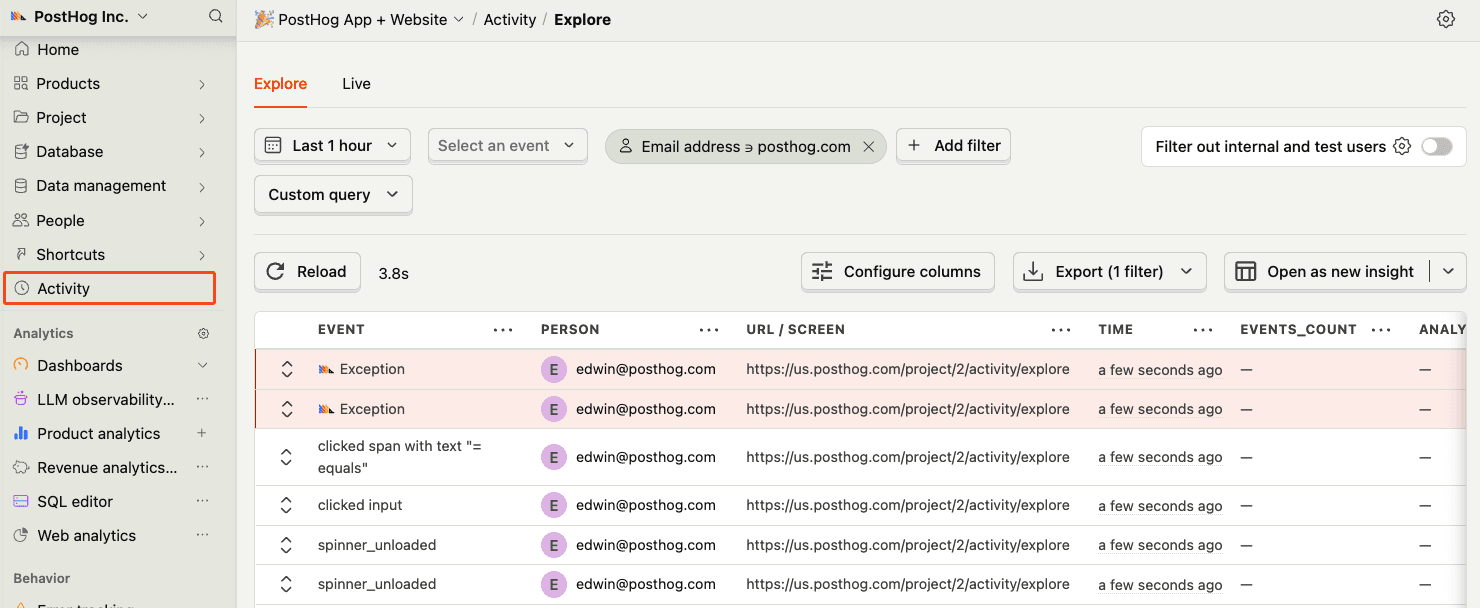
-
8
Upload source maps & native symbols
Required
Great, you’re capturing exceptions! The next step is to upload source maps (for JavaScript stack traces) and native symbols (for native iOS/Android crash symbolication) so PostHog can generate accurate stack traces.
Let’s continue to the next section.