Setting the file. One moment.
-
1
Install dependency
Required
Install via Swift Package Manager:
Package.swift
dependencies: [
  .package(url: "https://github.com/PostHog/posthog-ios.git", from: "3.56.0")
]
Or add PostHog to your Podfile:
Podfile
pod "PostHog", "~> 3.56" -
2
Configure PostHog
Required
Initialize PostHog in your AppDelegate:
AppDelegate.swift
import Foundation import PostHog import UIKit class AppDelegate: NSObject, UIApplicationDelegate { func application( -
3
Send events
Recommended
Once installed, PostHog will automatically start capturing events. You can also manually send events to test your integration:
Swift
PostHogSDK.shared.capture("button_clicked", properties: ["button_name": "signup"]) -
4
Set up exception autocapture
Recommended
Remote configuration
Exception autocapture can also be managed remotely via the error tracking settings (opens in a new tab).
Platform support
Exception autocapture is available on iOS, macOS, and tvOS only. It is not available on watchOS or visionOS due to platform limitations.
You can still capture events manually on all platforms, including visionOS.
You can autocapture exceptions by setting the
errorTrackingConfig.autoCaptureargument totruewhen initializing the PostHog SDK.Swift
import PostHog let config = -
5
Manually capture exceptions
Optional
Swift Error handling
You can manually capture exceptions using the
captureExceptionmethod:Swift
import PostHog do { try FileManager.default.removeItem( -
6
Configure in-app frames
Optional
By default, PostHog automatically marks your app’s code as “in-app” in stack traces to help you focus on your code rather than system frameworks.
You can customize this behavior with
errorTrackingConfig:Swift
import PostHog let config = PostHogConfig( projectToken: "<ph_project_token>", host: "https://us.i.posthog.com" -
Verify error tracking
Recommended
Confirm events are being sent to PostHog
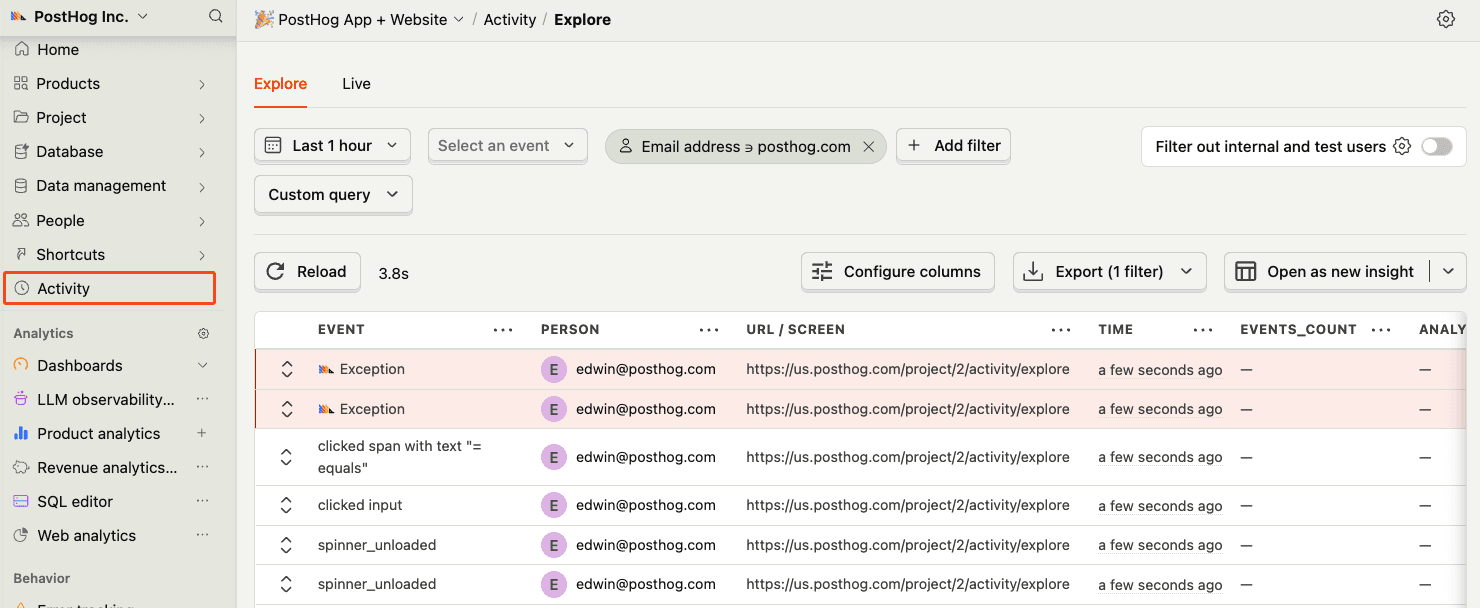
Before proceeding, let’s make sure exception events are being captured and sent to PostHog. You should see events appear in the activity feed.
-
7
Upload dSYMs
Required
Great, you’re capturing exceptions! The next step is to upload dSYM files so PostHog can symbolicate your crash reports and generate accurate stack traces.
Let’s continue to the next section.