Setting the file. One moment.
-
1
Install the gem
Required
Add the PostHog Ruby gem to your Gemfile:
Gemfile
gem "posthog-ruby" -
2
Configure PostHog
Required
Initialize the PostHog client with your project token and host:
Ruby
require 'posthog' posthog = PostHog::Client.new({ api_key: "<ph_project_token>", host: "https://us.i.posthog.com", on_error: Proc.new { |status, msg| print msg } }) -
3
Send events
Recommended
Once installed, you can manually send events to test your integration:
Ruby
posthog.capture({ distinct_id: 'user_123', event: 'button_clicked', properties: { button_name: 'signup' } }) -
4
Manually capture exceptions
Required
Using Ruby on Rails? The
posthog-railsgem provides automatic exception capture for controllers and background jobs. Select “Ruby on Rails” from the SDK list for setup instructions.To capture exceptions in your Ruby application, use the
capture_exceptionmethod:Ruby
begin # Code that might raise an exception raise StandardError, "Something went wrong" rescue => e posthog.capture_exception( e, 'user_distinct_id' -
Verify error tracking
Recommended
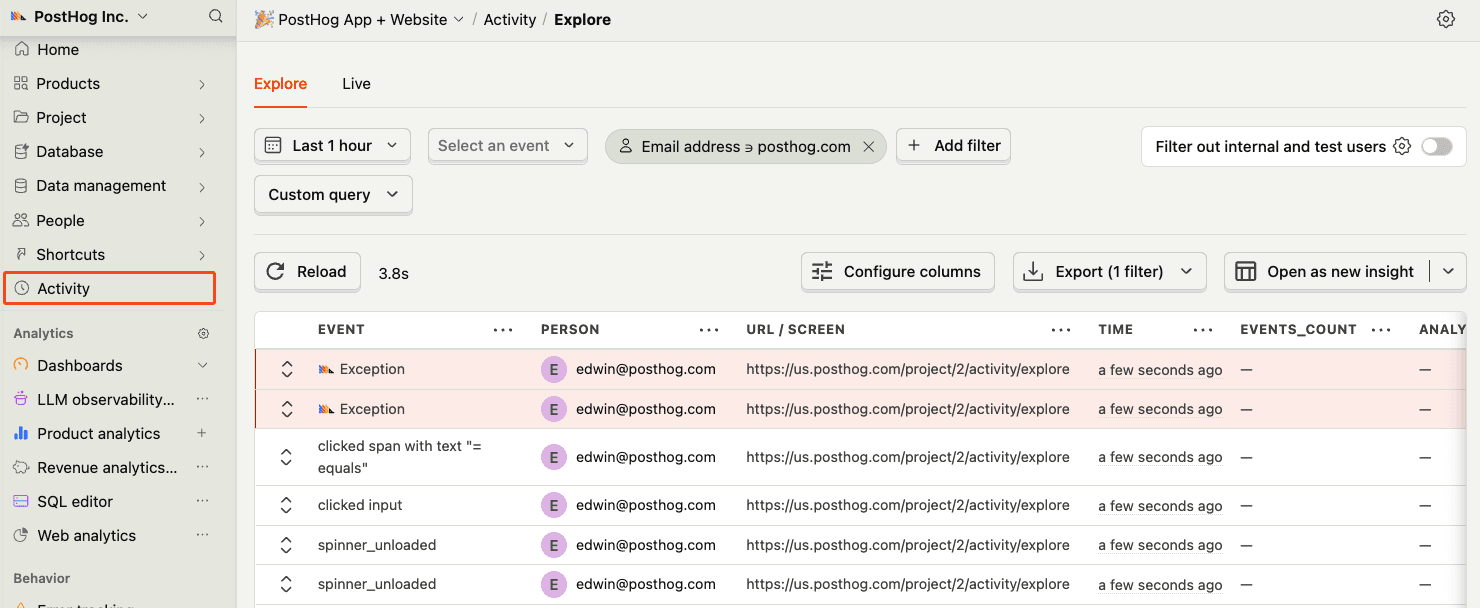
Confirm events are being sent to PostHog
Before proceeding, let’s make sure exception events are being captured and sent to PostHog. You should see events appear in the activity feed.